01The free domain appeal
When you're just starting out and want a website, paying for a domain feels like a commitment you're not ready to make. You find Freenom, see .tk or .ml domains listed for free, and think — I'll use this for now and get a real domain later.
I did this. Most people who've spent any time in web development did this at some point. Let me explain how it usually ends.
02What free domains actually are
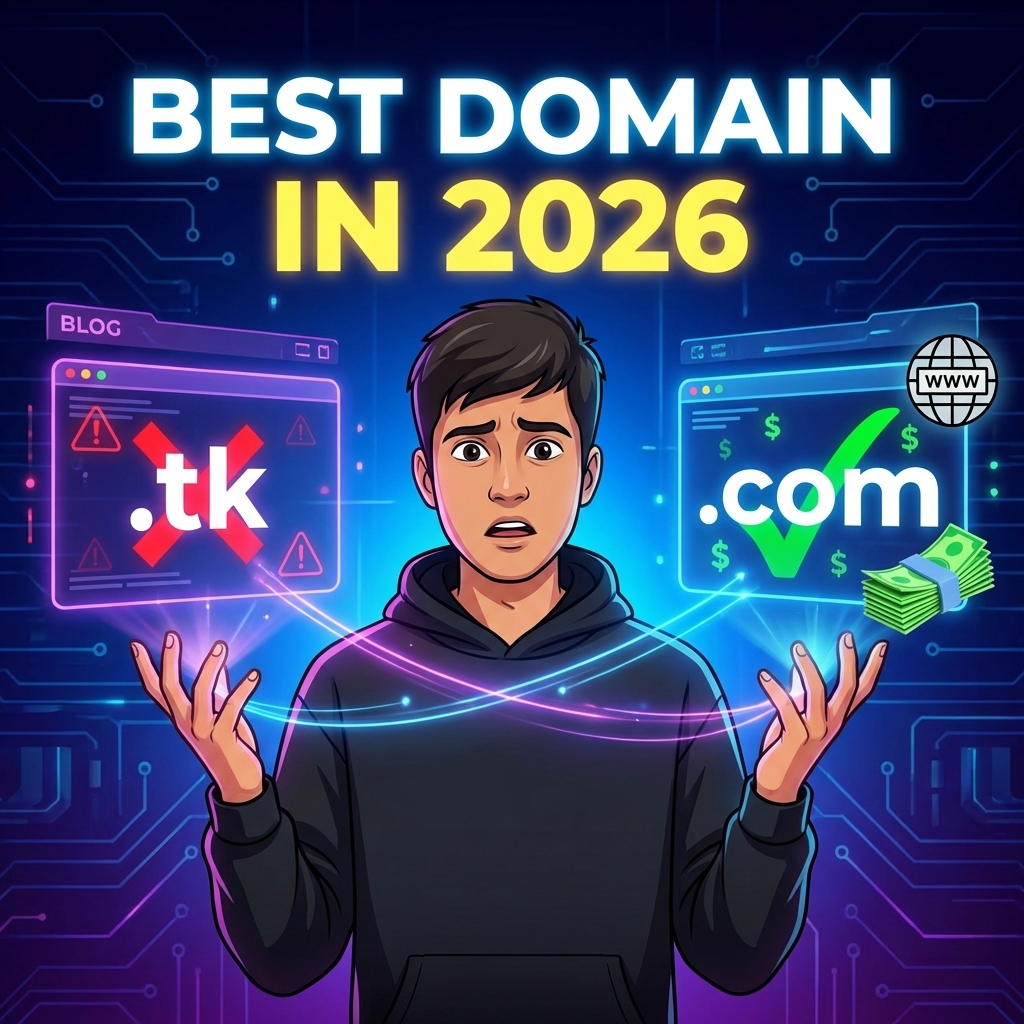
.tk, .ml, .ga, .cf — these are country-code domains for places like Tokelau and Mali that partnered with a company called Freenom to offer them free. You don't actually own them. You get a temporary lease, and the registry can reclaim the domain.
And they do. People have had free domains disappear — you go to your site one day and it's gone because Freenom decided to reclaim it, or the free period ended with unclear notice, or for no apparent reason at all. No warning, no recourse.
That uncertainty is the real issue. A domain is not just an address. It becomes the thing printed on your resume, linked from your social profiles, indexed by Google, and remembered by people who visit your site.
03Why .tk domains are a bad idea before you even think about SEO
Google knows that a huge percentage of spam, phishing, and malware sites use free domains because there's no accountability. Your .tk site starts with a reputation disadvantage baked in — harder to rank, less likely to land in inboxes, and people who see the URL will often just not click.
You also can't get AdSense on a free domain. Most ad networks won't touch them. If you're building a blog to eventually monetize, that path is blocked from day one.
SSL is sometimes an issue too — some certificate providers won't issue for free domains, which means your site shows "not secure" in browsers. There's no fix for that without changing the domain.
04₹800 per year. That's the real alternative.
A .com domain is ₹800 to ₹1200 a year depending on the registrar. First-year sales on Namecheap or Hostinger can bring it lower. That's ₹70-100 per month for something that actually works.
If you're building something you care about, that's not a real barrier. The real cost is the time you lose if you build content, get some links, get indexed — and then the free domain disappears or becomes unusable. That migration cost is orders of magnitude higher than just buying the domain.
05How I'd approach this if I was starting from nothing
Buy the simplest domain that works and stop thinking about it for two years. Don't spend three weeks finding the perfect name. A name you actually use is worth infinitely more than a perfect name you keep deferring.
For a personal site, yourname.in or yourname.dev is fine. For a blog or tool, pick something easy to say out loud — if you have to spell it every time you mention it, it's the wrong name.
Document your renewal date, registrar login, and DNS settings somewhere you'll find them. I forgot a renewal once and the panic of thinking I'd lost a domain was worse than the actual 20 minutes it took to recover.
06Things to check before clicking buy
Renewal price — not first year price. Some registrars are ₹500 year one and ₹2000 year two. Always look at what you'll be paying from year two onward.
Whether privacy protection is included or costs extra. WHOIS data is public by default — privacy protection keeps your personal details off it.
Search the exact domain name on Google and social. Sometimes a name is clean as a domain but associated with something problematic online. Takes 2 minutes to check.
07Which extension to use
.com is still the most trusted. If the .com you want is taken, .in works well for India-focused content, .dev is becoming standard for developer portfolios, and .io has been common in tech for years.
Avoid .xyz, .site, .online for anything serious — they carry the same spam associations as free domains in many people's minds. Not universally, but enough that it affects first impressions.
08My AdSense-specific advice
If your plan is to apply for AdSense, do not start on a free domain and migrate later. AdSense review is partly about trust. A custom domain, clean navigation, policy pages, original content, and a stable site all work together. A free domain weakens that trust before the reviewer even reads your posts.
Use the same domain everywhere: Search Console, sitemap, social profiles, author page, contact page, and AdSense. Do not keep switching between temporary URLs, preview URLs, and final URLs. Google can crawl redirects, but consistency makes review cleaner.
For a personal blog, a normal paid domain is also a branding signal. If your name is on the article and the domain looks permanent, the site feels more like a real publication and less like a disposable content experiment.
09What I would avoid completely
- Do not use a free domain for any site where you want AdSense, affiliate approval, client trust, or email outreach.
- Do not buy a domain only because the first year is cheap. Check renewal price first.
- Do not publish 20 posts on a temporary domain and then migrate after approval. Build on the final domain from day one.
- Do not use trademark-looking names, celebrity names, or brand names inside your domain unless you own the brand.
10Quick FAQ
- Can a free domain rank on Google? Sometimes, but it starts with trust and spam-history problems that are not worth fighting.
- Can I get AdSense with a free domain? In practice, you should not expect approval. Use a paid custom domain.
- Is .in okay for AdSense? Yes. A country-code domain like .in is normal if the site is legitimate and the content is original.
- Should I buy .com if available? If budget allows, yes. It is still the easiest extension for users to trust and remember.